
7 Signs Your Mac Has a Virus (And What Treasure Coast Owners Should Do Next)
7058548399 • December 11, 2025
7 Signs Your Mac Has a Virus (And What Treasure Coast Owners Should Do Next)

Think Macs can’t get viruses? It’s a common myth! While your Apple device is safer than most, malware and sneaky software are still out there—especially on the Treasure Coast, where phishing scams and popups are getting clever. Here’s how to spot trouble and what to do before panic sets in.
1. Your Mac Suddenly Slows Down
Apps taking forever to open? Massive spinning beach ball? If you haven’t installed anything heavy, a slowdown could mean malware running behind the scenes.
2. Endless Pop-Up Ads
If Safari, Chrome, or even your desktop start blasting weird ads (especially for sketchy “cleaners” or prizes), you might have adware or a browser hijack.
3. Your Browser Homepage Changed Itself
Homepage look weird? Search engine switched out of nowhere? That’s a classic malware move. Don’t just ignore it.
4. New, Unwanted Apps Appear
Notice apps you never downloaded? Malware often sneaks in fake “tools” or software you didn’t agree to.
5. Security Warnings or Fake Virus Alerts
Get sudden pop-ups screaming about “critical” issues and urging you to call a number? Never do it! These are classic virus scams.
6. Your Files Go Missing or Locked
Ransomware isn’t just for big companies—it sometimes targets individuals too. If you’re missing files or locked out, seek professional help right away.
7. Emails Sent From Your Account (That Aren’t Yours)
Friends reporting weird emails from you? Virus infections sometimes hijack your outgoing mail.
What Should You Do If You Spot These Signs?
Don’t download random “fixers.”
Disconnect from the internet if files are missing or locked.
Take note of what changed.
Call local pros who know Macs inside and out.
At iService FL, our former Apple techs know Mac malware (and all those fake popups) better than anyone on the Treasure Coast. We clean your computer—no scare tactics, no nonsense.
Need a hand? Stop by, or call! Fast, friendly, no-judgment service—just like Apple should be.

Why We Still Fix "Vintage" Macs: The Truth About Your "Obsolete" Apple Computer It happens to every Mac owner eventually. You visit the Apple Store, or you see a pop-up on your screen, and you’re told the dreaded news: your trusted computer is now "Vintage." To most people, that sounds like a polite way of saying "garbage." But if you ask us? We think it’s just getting started. At iService FL , we’ve spent the last 15 years watching Apple hardware evolve. Since we opened our doors in 2006, we’ve seen machines come and go, but lately, we’ve noticed something interesting. A huge number of our customers in Stuart, Port St. Lucie, and Palm Beach Gardens are holding onto their "older" Macs, and for very good reason. The BIG question: Is your Mac actually obsolete, or is it just "unsupported" by the manufacturer? Don't be alarmed if Apple has stopped offering parts for your 2015 MacBook Pro or your 2017 iMac. "Vintage" is just a label, not a death sentence. We’re here to help you understand why your older machine might actually be superior to the brand-new models on the shelf today. What Does "Vintage" Actually Mean? In the world of Apple, a product is considered "vintage" when the company stopped distributing it for sale more than five and less than seven years ago. Once it hits the seven-year mark, it’s labeled "obsolete." When this happens, Apple typically stops providing hardware service and parts. If you walk into a standard retail store with a vintage machine, they’ll likely tell you they can’t help you and point you toward the newest $2,000 model. Here is the truth: A Mac doesn't stop being a powerful, reliable tool just because a calendar page turned. As former Apple technicians, we know these machines inside and out. We have the expertise and the supply chains to source high-quality parts that Apple simply chooses not to carry anymore. We don't believe in forced upgrades. If your Mac can be fixed, we will fix it. The "Golden Era" of Mac Hardware (2015-2019) Why are people so attached to their older Macs? It’s not just nostalgia. Many professionals, developers, photographers, and writers, consider the 2015 through 2019 models to be some of the best machines Apple ever built. The Port Paradise If you’ve looked at a brand-new MacBook lately, you might have noticed something missing: everything. Newer models often rely entirely on USB-C ports, which means you’re stuck living the "dongle life." Many of our customers in Martin County love their 2015 MacBook Pros because they still have: Built-in USB-A ports for your favorite thumb drives and peripherals. An HDMI port to plug directly into a TV or monitor without an adapter. An SD Card slot , which is a lifesaver for photographers in Palm Beach Gardens. MagSafe 2 , the magnetic power connector that saved many laptops from being pulled off a table by a tripping cord. When you bring your older Mac to us for a hard drive repair or upgrade , you're keeping all those convenient features that modern Macs have stripped away. The Keyboard Debate Between 2016 and mid-2019, Apple introduced the "butterfly" keyboard. While it was thin, it became infamous for sticking keys and general unreliability. If you have a 2015 model or a late-2019 16-inch model, you likely have the "scissor-switch" keyboard. Many of our clients find these keyboards much more comfortable for long-form typing. If your keyboard is starting to act up, don't feel pressured to buy a new computer . We can often perform expert Apple computer repairs to get your keys clicking perfectly again. Why iService FL is Your Best Alternative When you choose iService FL, you aren't just getting a repair; you're getting 15 years of specialized Apple experience. We focus exclusively on Apple products, which makes us specialists in the field. Former Apple Technician Expertise The BIG question: Who is actually touching your computer? At some big-box stores, the person working on your expensive Mac might have been in the appliance department last week. Our team consists of former Apple technicians who have been trained to the highest standards. We treat every data recovery and hardware fix with the precision it deserves. We’ve been serving the Treasure Coast since 2006, and our reviews speak for themselves. We Tackle What Others Won’t While Apple might say "no" to a vintage machine, we say "let’s see what we can do." Virus and Malware Cleaning: Is your older Mac running slow? It might not be the age; it might be junk software. Our virus and malware removal service can make an old Mac feel snappy again. Battery Replacements: Is your laptop "tethered" to the wall? A simple battery swap can give you years of portable life back. Software Management: We help you navigate updates and Apple setup so you can keep using the apps you need on the hardware you love. Better for the Environment (and Your Wallet) Repairing a vintage Mac is one of the most eco-friendly moves you can make. Manufacturing a new computer requires significant energy and raw materials. By extending the life of your current machine, you’re keeping e-waste out of Florida’s landfills and saving hundreds (or thousands) of dollars in the process. Most of our repairs are completed with a dependable and quick service turnaround, so you aren't without your digital life for weeks on end. Plus, visiting our Stuart location is easy with FREE parking and a friendly, casual atmosphere. Serving Stuart, Port St. Lucie, and Beyond Whether you’re a small business owner in Port St. Lucie who relies on an older iMac or a student in Palm Beach Gardens with a 2017 MacBook Air, we are here to help. We understand that your computer is more than just a piece of metal: it's your office, your photo album, and your connection to the world. We specialize in: Professional Apple Hardware Repair Comprehensive Software Management Virus Removal and Speed Optimization Networking and Wireless Setup (check out our home and business network services ) Ready to Rescue Your "Vintage" Mac? Don't let a "vintage" label discourage you. If your Mac still has life in it, we’ll find it. We pride ourselves on being the dependable, local alternative to the crowded mall stores. Give us a call today at 772-343-7482 or schedule an appointment online. We’ll give you a straight answer on whether your Mac is worth the fix (it usually is!). Visit us at iService FL and see why 15 years of experience makes all the difference. iService FL Expert Apple Computer Repair & Service Phone: 772-343-7482 Serving Stuart, Port St. Lucie, and Palm Beach Gardens.
Mac for Business 101: How small businesses in Martin County can set up a secure, managed network without a full-time IT guy Running a small business in Stuart, Jensen Beach, or Palm Beach Gardens is a balancing act. You’re the CEO, the HR department, and often, the unofficial IT person. When a new employee starts, you’re probably the one handing them a boxed MacBook and hoping they can figure out the Wi-Fi password. The BIG question: Do you actually need to hire a full-time IT person just to keep your Macs secure and updated? The short answer is no . At iService FL, we’ve spent 15 years helping local businesses transition from "unmanaged chaos" to professional, secure networks. As former Apple technicians, we know that Apple has built incredible tools specifically for small businesses, most people just don't know they exist or how to turn them on. In this guide, we’re going to show you how to take control of your business technology using the same tools enterprise companies use, but without the enterprise price tag or the need for a dedicated IT desk. The "Boxed Mac" Problem: Why "Winging It" Is Dangerous Most small businesses in Martin County grow one Mac at a time. You buy one at the apple store stuart fl , set it up with a personal Apple ID, and hand it to an employee. Don't be alarmed , but this is where the trouble starts. When an employee uses a personal Apple ID to download apps or secure the Mac, they own that machine’s identity, not your business. If they leave the company on bad terms, they could potentially walk away with a "locked" Mac that you can't even wipe or reuse. Beyond ownership, there’s the security risk. Without a managed system, you have no way to verify if your team is actually installing security updates or if they’ve turned off FileVault (disk encryption). In 2026, a single unpatched Mac is a doorway for malware that can put your entire business at risk. Step 1: Apple Business Manager (The Foundation) The first thing every small business needs is Apple Business Manager (ABM) . Think of ABM as the "Master Ledger" for your company. It’s a free, web-based portal provided by Apple that tells the world: "This MacBook with this serial number belongs to My Business, Inc." Why you need it: Ownership Rights: It prevents "Activation Lock" issues. Even if an employee leaves and forgets their password, you maintain the legal and digital right to reset the device. Volume Purchasing: You can buy 10 copies of a professional app (like Microsoft 365 or Adobe Creative Cloud) and "push" them to your employees’ Macs without them needing a corporate credit card. Managed Apple IDs: You can create business-only Apple IDs for your staff. This keeps their personal photos and texts separate from your business data. We can help you navigate the ABM signup process, which requires a bit of verification, so you can get your company verified and ready to go. Step 2: Choosing an MDM (Your Remote Control) ABM tells Apple who owns the device, but Mobile Device Management (MDM) is the tool that actually manages it. You don't need a server room. Modern MDM solutions live in the cloud. For our clients in Stuart and Port St. Lucie, we usually recommend simple, effective solutions like Jamf Now , Kandji , or Mosyle . How it works: When you hire a new employee, you order a Mac. Before it even arrives at your office, we assign it to your MDM in the cloud. When the employee opens the box and connects to Wi-Fi, the Mac automatically says: "Welcome to the company! Please wait while I install your email, security settings, and apps." This is called Zero-Touch Deployment . It saves you hours of manual setup and makes you look like a tech genius to your new hires. Step 3: Security & Updates (Setting the Baseline) Once your Macs are "managed," we set up a Security Baseline . This is a list of rules that every Mac in your company must follow. We recommend: FileVault Encryption: Mandatory on all laptops. If a Mac is left in a car in Jensen Beach and stolen, the data is unreadable without the key (which is safely stored in your MDM). Passcode Requirements: No more "1234" passwords. We can enforce complex passwords and automatic screen locking after two minutes of inactivity. Managed Updates: We can schedule updates to happen at 2:00 AM so your team isn't interrupted by a 45-minute "System Update" screen in the middle of a client meeting. Remote Wipe: If a device is lost, you can send a "Kill Command" from any web browser to erase all business data instantly. Why iService FL is Your Secret Weapon Setting this up can feel overwhelming, but we are here to help. You don't need a full-time IT guy on payroll; you just need the experts to set the tracks so the train runs smoothly. Why choose us over a generic "IT firm" or the busy mall stores? Specialized Expertise: We only do Apple. Our staff includes former Apple technicians who understand macOS at a level most general IT shops don't. 15 Years of Experience: Since 2006, we’ve been the go-to for computer repair stuart fl . We’ve seen every way a network can break, and we know how to prevent it. Local and Accessible: We’re right here in the neighborhood. If you have a hardware issue, you don't have to ship your Mac to a warehouse. You can visit us in person (and yes, we have FREE parking ). Comprehensive Support: From wireless network installation to virus and malware removal , we handle the entire lifecycle of your business tech. Getting Started: The 30-Minute Business Tech Review If you’re currently "winging it" with your business Macs, let’s get you on a more secure path. You don't have to do this alone. We can sit down with you, look at your current fleet, and help you register for Apple Business Manager in minutes. We provide dependable, quick service that keeps your business running so you can focus on your customers, not your computers. Whether you need an Apple setup and private lesson for your team or a complete home and business network overhaul, we’ve got the 15 years of experience to get it done right. Ready to secure your business? Call us today at (772) 343-7482 or schedule an appointment online . Don’t wait for a security breach to realize you need a managed network. Let the former Apple pros at iService FL give you the peace of mind you deserve. iService FL Expert Apple Computer Repairs & Managed Services Serving Martin, Port St. Lucie, and Palm Beach Gardens.

Before you head to the Apple Store Stuart FL, find out why your Mac might not need replacing! Our expert computer repair in Stuart FL can save you thousands. Read more.

Apple’s 50th Birthday: From a Garage to Your Desktop (and How We Keep the Magic Alive) Today is a pretty monumental day in the world of technology. As of Wednesday, April 1, 2026, Apple Inc. is officially 50 years old. Think about that for a second. Half a century ago, Steve Jobs, Steve Wozniak, and Ronald Wayne were tinkering away in a garage in Los Altos, California. They had a radical idea: that a computer shouldn't just be a massive, room-sized machine for corporations, but something "personal" that could sit on your desk and change your life. At iService FL, we’ve spent a huge chunk of that timeline right here in Stuart, Florida, helping you make sense of that technology. While Apple has grown from a garage startup into a multi-trillion dollar giant, our mission has remained the same since we opened our doors in 2006: keeping the magic alive for Mac users across the Treasure Coast. I’m Miles Ashworth, Lead Technician here at iService FL. My team and I are former Apple technicians, and between us, we have over 15 years of deep, hands-on experience with every iteration of the Mac. As we celebrate Apple’s 50th birthday, I wanted to take a look at how far we’ve come and why specialized Apple computer repair is more important now than ever before. The 50-Year Journey: From the Apple I to the M-Series The journey from 1976 to 2026 has been nothing short of a rollercoaster. We went from the hand-built Apple I circuit boards to the iconic "1984" Macintosh, the colorful iMac G3s that saved the company in the late 90s, and finally to the incredibly powerful M-series silicon chips we use today. Every time Apple releases a new architecture, the complexity of the repair changes. Back in the day, you could swap out a part with a screwdriver and a bit of patience. Today, these machines are marvels of engineering—incredibly thin, incredibly fast, but also incredibly integrated. Even the most advanced 2026 MacBook Pro or Mac Studio needs maintenance. Whether it’s managing thermal issues, resolving software conflicts in macOS Sequoia, or recovering data from a failing drive, the "magic" sometimes needs a little professional help to keep working. Why iService FL has been the Stuart Choice Since 2006 While Apple is celebrating 50 years, iService FL is celebrating 20 years of serving the Treasure Coast. We started this journey in 2006 because we saw a gap in the market. People in Stuart, Port St. Lucie, and Jensen Beach didn't want to drive an hour or more to a crowded mall just to wait in line at a "Genius Bar." They wanted local experts. They wanted someone who knew their name and understood their business needs. As former Apple technicians, we brought that high-level expertise back to our local community. We aren't generalists who fix "any PC." We are specialized Apple computer repair experts. When you bring your machine to us, you aren't getting a guess; you’re getting a diagnosis based on decades of combined experience. The "Apple Store Stuart FL" Alternative If you search for an "apple store stuart fl," you’ll quickly realize that the nearest official retail locations are quite a haul. For many of our clients, the trek to the Gardens Mall or beyond is a major disruption to their day. Why deal with the mall when you can stay local? Expertise: We are former Apple techs. We know the official protocols, but we also know the real-world fixes that the "Genius Bar" might not offer. Speed: We don't make you wait a week for a simple diagnostic. We know your Mac is your livelihood. Convenience: We are located right here in Stuart, with easy access and zero mall-walking required. We provide the professional results you’d expect from a flagship store but with the friendly, accessible atmosphere of a local business. Keeping Your Mac Running Like New Even though Apple’s hardware is better than ever at age 50, things can still go wrong. As machines get older, they require specific care to stay relevant in 2026. Hard Drive Repairs and Upgrades If your Mac is feeling sluggish, it might not be time for a new one. Many older Macs can be revitalized with hard drive repairs and upgrades. We can swap out failing components and give your machine a new lease on life, saving you thousands compared to buying a brand-new model. Data Recovery Services Nothing is scarier than a Mac that won't turn on when you have years of photos or critical business files on it. We specialize in Data Recovery. Because we understand the file systems of macOS inside and out, we have a much higher success rate than general computer repair shops. More Than Just Hardware: Networking and Integration Apple’s 50-year legacy isn't just about standalone boxes; it’s about how everything works together. In 2026, your Mac is the hub of your digital life. If your Wi-Fi is spotty or your office network isn't communicating properly with your Apple devices, the experience falls apart. We offer professional wireless network installation and home/business network support. We ensure that your Apple ecosystem—from your Mac Studio to your Apple TV and beyond—is running on a rock-solid foundation. Big News: We Are Growing Too! As Apple reaches this 50-year milestone, iService FL is also looking toward the future. For years, we have been your go-to experts for everything related to Apple computers. We’ve listened to your feedback! We know that while you love your Macs, you’re also carrying iPhones that occasionally need a professional touch. We are excited to announce that we will be expanding to offer iPhone Repair services very soon. We are bringing the same level of precision, the same former Apple technician expertise, and the same local Stuart convenience to your mobile devices. Stay tuned for the official launch date! Don't Let Tech Troubles Slow You Down Apple’s 50th anniversary is a celebration of innovation and "thinking different." At iService FL, we celebrate that innovation by ensuring your devices never skip a beat. Whether you need a quick fix or a major hardware overhaul, we are here to help. Don't bother with the stress of the mall. Come see the experts who have been serving the Treasure Coast for two decades.
Palm Beach Gardens Apple Repairs: Skip the Appointment at the Mall If you live in Palm Beach Gardens, you know the routine. Your MacBook screen flickers, or your iPhone stops charging, and your first instinct is to look for an apple store appointment palm beach gardens. You head to the Gardens Mall, circle the parking lot for twenty minutes, and then hike through the crowds only to be told that the "Genius Bar" is fully booked for the next three days. It is a frustrating cycle, but it doesn't have to be your reality. At iService FL, we offer a different experience. We provide expert-level Apple repairs without the mall chaos, the long walks, or the rigid appointment schedules. Our team consists of former Apple technicians with over 15 years of specialized experience. We understand these devices inside and out, and we are here to provide the professional, accessible service that Palm Beach Gardens residents deserve. The Problem with the Mall: Why Your Apple Store Appointment Palm Beach Gardens Might Let You Down The BIG question: Why is it so hard to get a simple repair done at the mall? The Apple Store is a marvel of retail, but it isn't always the most efficient place for repairs. When you search for an apple store appointment palm beach gardens, you are competing with thousands of other users in one of the busiest shopping hubs in Florida. Here is the reality of the mall experience: The Appointment Bottleneck: Often, you can’t even get through the door without a pre-scheduled slot. If you have an emergency, "waiting for a standby opening" can take hours. The Transit Tax: Between the traffic on PGA Boulevard and the walk from the parking garage to the store, you’ve spent forty minutes before you’ve even spoken to a technician. The "Replace, Don't Repair" Mentality: Corporate stores are often incentivized to push you toward a new purchase rather than a complex logic board repair or a simple component swap. At iService FL, we don't think you should have to plan your entire week around a computer glitch. We offer a streamlined alternative that prioritizes your time and your device’s longevity. Expert Service from Former Apple Technicians Credibility matters when you are handing over a $2,000 MacBook or an iPhone containing your entire digital life. You shouldn't trust your hardware to a "general" repair shop that fixes lawnmowers one day and iPads the next. We are specialized. For over 15 years, our focus has been exclusively on the Apple ecosystem. Our lead technicians are former Apple employees who have been trained in the very systems used at the Genius Bar. We bring that corporate-level expertise to a local, boutique setting. When you visit us, you aren't just a number in a queue. You are speaking directly to the experts who will be opening your device. This direct communication allows for more accurate diagnostics and faster turnarounds. Whether you need an apple computer repair or a quick iphone repair, you are getting the highest tier of technical proficiency available in Palm Beach County. Common Apple Issues We Resolve (Without the Wait) Don't be alarmed if your device seems "dead." Most issues that look catastrophic are actually routine fixes for a seasoned technician. Here is what we handle daily for our Palm Beach Gardens clients: 1. Cracked Screens and Display Failures Whether it’s a MacBook Pro with a "flexgate" issue or an iPhone that took a tumble on a sidewalk in Abacoa, we handle display replacements with precision. We use high-quality parts to ensure that your Retina display stays as crisp and vibrant as the day you bought it. 2. Battery Replacements and Power Issues Is your MacBook dying after only two hours? Is your iPhone shutting off at 20%? Batteries are consumable parts. Instead of buying a new machine, a professional battery swap can give your device another 3 to 4 years of life. Check our store for more details on available parts and upgrades. 3. Liquid Damage Recovery This is the big one. If you spilled coffee on your keyboard while working at a cafe in Downtown Palm Beach Gardens, do not try to turn it on. Bring it straight to us. We specialize in ultrasonic cleaning and logic board repair, often saving data and hardware that the Apple Store would deem "unfixable." 4. Slow Performance and Storage Upgrades If your older Mac feels sluggish, it might just need a hardware refresh. We offer hard drive repair and upgrades that can transform an older Intel Mac into a snappy, modern machine. Beyond Hardware: Comprehensive IT Consulting iService FL isn't just a repair shop; we are your local IT partners. While the Apple Store focuses on the device in your hand, we look at your entire digital environment. Many of our Palm Beach Gardens clients struggle with connectivity in large homes or professional offices. We offer specialized wireless network installation and home and business networks support. If your device is working fine but your Wi-Fi is dropping, a mall appointment won't help you. We can come to you to ensure your environment is optimized for your Apple devices. Additionally, if you’ve recently bought a new device and feel overwhelmed by the setup process, we offer apple setup and private lessons. We help you sync your iCloud, manage your photos, and ensure your security settings are airtight. Data Recovery: When Your Files Are at Risk The most stressful part of a broken computer isn't the cost of the hardware: it's the potential loss of your photos, documents, and work files. If your Mac won't boot, the first thing the mall might tell you is that your data is gone if you haven't backed up to iCloud. Don't panic. We are experts in data recovery. Even if the computer is physically damaged or the operating system is corrupted, we have specialized tools to extract your information safely. We treat your privacy with the utmost respect and ensure your data remains secure throughout the process. The iService FL Advantage: Why We Are the Easy Solution So, why choose us over a standard apple store appointment palm beach gardens? Direct Access to Experts: No "gatekeepers." You talk to the person fixing your gear. Faster Turnaround: Many repairs that take a week at the mall can be done in 24-48 hours here. No Mall Hassle: Easy parking, no crowds, and a professional environment. Specialized Knowledge: 15 years of Apple-specific experience means we’ve seen your problem before: and we know how to fix it. Transparent Pricing: We provide clear estimates before we start any work. We believe in building long-term relationships with our customers. Our reviews speak for themselves: local residents trust us because we provide honest advice. If a repair isn't cost-effective, we will tell you. If we can save you money by upgrading a component instead of replacing a whole unit, we will. How to Get Started If you are tired of the "Genius Bar" runaround and want professional service for your Apple devices, we are ready to help. You don't need to navigate a complex online portal to find a time slot that may or may not work for you. You can learn more about us and our history in the community, or if you prefer the structure of a set time, you can schedule an appointment directly through our website. However, we also welcome you to contact us via phone or email to discuss your specific issue. Don't let a broken device ruin your week. Skip the mall, avoid the crowds, and get your Apple tech back in peak condition with the experts at iService FL. Local Service for Palm Beach Gardens Whether you are in BallenIsles, Frenchman’s Reserve, or near the Benjamin School, we are your local source for everything Apple. From virus and malware removal to complex hardware diagnostics, we provide the high-touch, professional service that matches the Palm Beach Gardens lifestyle. Contact iService FL today: Website: www.iservicefl.com Services: Mac Repair, Data Recovery, Networking Experience: 15+ Years (Former Apple Technicians) Stop searching for an apple store appointment palm beach gardens and start working with a team that values your time as much as you do. We look forward to getting your tech back on track!
If you're searching for an "Apple Store in Stuart FL" or "Apple Store in Stuart Florida," here's the reality: there isn't one. The closest Apple Store is over 60 minutes away in Palm Beach Gardens, and that's before you factor in traffic, parking, and the inevitable wait for a Genius Bar appointment. For Stuart and Port St. Lucie residents dealing with a broken Mac, dead iPhone, or malfunctioning iPad, this creates a serious problem. You need your device fixed now, not next week. So the real question becomes: should you make the trek to the Apple Store, or is there a faster, smarter option right here in Stuart? Let's break down what actually happens with each option: and why local computer repair in Stuart FL might get you back to work (or play) days faster. The Apple Store Reality: Distance + Time = Frustration When your MacBook won't turn on or your iPhone screen is shattered, the Apple Store seems like the obvious choice. After all, they built the device: they should fix it, right? Here's what that process actually looks like: Step 1: Schedule an appointment (if you can get one). Genius Bar slots often book up 2-3 days in advance, sometimes longer during busy periods. Step 2: Drive 60+ minutes from Stuart to the Gardens Mall in Palm Beach Gardens. Factor in I-95 traffic and you're looking at closer to 90 minutes each way during peak hours. Step 3: Wait at the Genius Bar. Even with an appointment, expect some waiting time. They'll diagnose your device and tell you what's wrong. Step 4: Ship it out. For most repairs beyond simple screen replacements, your device gets sent to an Apple repair depot. Standard turnaround? 5-7 business days minimum, not including shipping time. Step 5: Drive back again to pick up your device once it's returned to the store. Total timeline from problem to solution? You're looking at 7-15+ days in many cases, plus several hours of driving and coordination. And that's assuming no parts delays or complications. The Local Alternative: Computer Repair Stuart FL Here's where iService FL changes the game. We're a specialized Apple repair shop located right here in Stuart, staffed by former Apple-certified technicians with over 15 years of experience working on Mac computers, iPhones, and iPads. Our process looks completely different: Step 1: Drop off your device at our Stuart location: typically a 10-15 minute drive for most local residents. FREE parking right outside. Step 2: Same-day diagnosis. We'll assess what's wrong while you wait, or give you a call within a few hours. Step 3: Most repairs completed within 24 hours. Not 5-7 business days. Not next week. Tomorrow. Step 4: Pick up your device at your convenience. We're local, so no hour-long drives or shipping coordination needed. The difference is substantial. We've had customers drop off a MacBook in the morning and pick it up the same afternoon with a new hard drive installed and data transferred. We've replaced iPhone charging ports while customers grabbed lunch down the street. Why iService FL Gets Your Mac Fixed Faster The speed advantage isn't just about convenience: it's about how we operate compared to the Apple Store model. We Keep Parts in Stock Apple Stores send most devices to centralized repair depots. If a part needs to be ordered, add more days to your timeline. We maintain an inventory of common Apple parts right here in Stuart, which means we can start repairs immediately for the majority of issues. Former Apple Technicians Working Locally Our team includes technicians who previously worked for Apple, so we know their systems, their diagnostic processes, and their repair standards inside and out. The difference? We apply that expertise locally without the corporate bureaucracy and shipping delays. Specialized Apple Focus While Apple Stores handle everything from iPhone sales to software workshops, we focus exclusively on Apple repairs and service. This specialization means faster diagnostics, more efficient repairs, and technicians who work on these devices every single day. No Appointment Bottlenecks Genius Bar appointments create artificial delays. Even if a technician could fix your device today, you might not get an appointment slot until Thursday. We operate on a more flexible drop-off model that keeps devices moving through the repair queue. The BIG Question: Is Quality Compromised? Here's what Stuart and Port St. Lucie customers often ask: "If iService FL is faster, does that mean lower quality repairs?" Fair question. Here's the honest answer: We use high-quality replacement parts that meet or exceed Apple's specifications. Our technicians have the same training and certifications that Apple Store staff receive. The quality of the actual repair work is equivalent: sometimes better, because we're not rushing through a packed appointment schedule. The speed difference comes from logistics, not shortcuts. We don't ship your device across the state. We don't wait for appointment availability. We don't navigate corporate approval processes for every repair decision. One important note: for devices still under Apple's limited warranty or covered by AppleCare+, Apple Store repairs may be your best bet for warranty-covered service. We're transparent about this: if going to Apple will save you money on a warranty claim, we'll tell you upfront. For out-of-warranty devices, older Macs, or situations where speed matters more than official Apple processing, iService FL typically delivers faster results at competitive pricing. Real Turnaround Comparisons Let's compare actual timelines for common repairs: Cracked MacBook Screen: Apple Store: 2-3 days for appointment + 5-7 days for repair = 7-10+ days total iService FL: Same-day diagnosis, 24-hour repair in most cases iPhone Charging Port Replacement: Apple Store: 2-3 days for appointment + device ship-out + 5-7 days return = 7-10+ days iService FL: Often completed same afternoon Mac Hard Drive Upgrade: Apple Store: Varies widely; often requires sending to depot = 7-14 days iService FL: Typically 24-48 hours with data transfer included MacBook Battery Replacement: Apple Store: 2-3 days to get appointment + potential ship-out = 5-10+ days iService FL: Usually next-day completion The pattern is clear: for most common Apple device repairs, local computer repair in Stuart FL delivers results in a fraction of the time. When the Apple Store Makes More Sense We're not here to bash the Apple Store: there are situations where it's genuinely the better choice: Active AppleCare+ coverage: If you have AppleCare+ and the repair is covered, the cost savings often outweigh the time investment. Warranty claims: Devices within Apple's 1-year limited warranty should generally go through Apple channels first. Rare or specialized repairs: For extremely uncommon issues or brand-new device models, Apple may have access to parts or diagnostic tools we don't immediately stock. You're not in a hurry: If you have a backup device and don't mind waiting 1-2 weeks, the Apple Store works fine. For everything else: and that's the majority of repairs: a specialized local shop like iService FL gets you back up and running faster.
Your iPhone holds your entire life. Bank accounts, family photos, work emails, passwords to everything: it's all right there in your pocket. But here's the thing: most people on the Treasure Coast are making security mistakes every single day without even realizing it. As former Apple technicians, we see these issues constantly at our Stuart FL shop. The good news? Most of them are easy fixes once you know what to look for. The BIG question: Are you unknowingly leaving the door wide open for hackers and scammers? Let's break down the five most common iPhone security mistakes we see: and exactly how to fix them. Mistake #1: Reusing Easy-to-Guess Passcodes We get it. You've had the same passcode since your first iPhone back in 2012. It's easy to remember: your birthday, 1234, 0000, or maybe your anniversary. The problem? These are the first combinations anyone would try. Here's what makes this especially dangerous: if someone watches you type your passcode at a coffee shop in downtown Stuart, they now have access to everything. Your Apple ID, your passwords stored in Keychain, your payment methods: all of it. What you should do instead: Switch from a 4-digit to a 6-digit passcode (or better yet, use a custom alphanumeric code) Go to Settings > Face ID & Passcode > Change Passcode Enable Face ID or Touch ID so you're not constantly typing your code in public Never use obvious patterns like birthdates or repeated numbers Don't be alarmed if changing your passcode feels weird at first. Your muscle memory will catch up within a week, and your data will be significantly more secure. Mistake #2: Ignoring Those "Security Recommendation" Prompts You've seen them. Those little alerts in your Settings app that say things like "This password has appeared in a data leak" or "Reused Password Detected." Most people tap away from these notifications like they're spam. They're not spam. They're your iPhone trying to save you from a breach. Apple's built-in password monitoring checks your saved credentials against known databases of leaked passwords. If you're ignoring these warnings, you might be using a password that hackers already have. Here's how to check right now: Open Settings > Passwords > Security Recommendations Review any flagged accounts Tap on each one and select "Change Password on Website" Use the suggested strong password or create your own This takes about 10 minutes and could save you from a massive headache down the road. We've had customers come into our Stuart location after their email or social media got hacked: and almost every time, they'd been ignoring these security prompts for months. Mistake #3: Connecting to Unsecured Public Wi-Fi The Treasure Coast has no shortage of great spots to grab coffee, lunch, or a drink by the water. And almost all of them offer free Wi-Fi. Convenient? Absolutely. Safe? Not always. When you connect to an open, unsecured network: like the free Wi-Fi at that café on Ocean Boulevard or the public network at the mall: you're essentially broadcasting your data to anyone who knows how to intercept it. This is called a "man-in-the-middle" attack, and it's more common than you'd think. Protect yourself with these tips: Avoid accessing banking apps or entering passwords on public Wi-Fi Look for networks that require a password (even a simple one adds a layer of encryption) Use a VPN (Virtual Private Network) when you need to connect to public networks Turn off "Auto-Join" for public networks in Settings > Wi-Fi If you work remotely or travel frequently around Port St. Lucie, Stuart, or Jensen Beach, setting up a proper VPN is worth the investment. Need help choosing one or getting it configured? We offer setup and private lessons to walk you through it. Mistake #4: Not Having 'Find My' or Two-Factor Authentication Set Up Here's a scenario we hear way too often: someone loses their iPhone at the beach, and when they try to track it down, they realize Find My iPhone was never turned on. Or worse: someone gets locked out of their Apple ID because a hacker changed the password, and they never enabled two-factor authentication (2FA). These two features are your best defense against device theft and account takeovers. Find My iPhone lets you: Locate your device on a map Play a sound to find it nearby Lock it remotely Erase all data if it's truly gone Two-Factor Authentication (2FA) means: Even if someone has your password, they can't log in without a code sent to your trusted device You get alerts when someone tries to access your account from a new device Your Apple ID becomes significantly harder to compromise How to check if these are enabled: Find My: Go to Settings > [Your Name] > Find My > Find My iPhone – make sure it's ON 2FA: Go to Settings > [Your Name] > Sign-In & Security – you should see "Two-Factor Authentication: On" If either of these is off, stop reading and turn them on right now. Seriously. We'll wait. Mistake #5: Falling for Phishing Texts (Smishing) You get a text that looks official: "Apple ID Alert: Your account has been compromised. Verify your identity immediately." There's a link. It looks legitimate. You tap it, enter your credentials, and... you just handed your login info directly to a scammer. This is called smishing (SMS phishing), and it's exploding right now. These fake texts are designed to look exactly like real Apple communications: complete with Apple logos and urgent language. Here's how to spot a fake: Apple will never ask you to click a link in a text message to verify your account Check the sender's number: official Apple messages come from verified short codes, not random phone numbers Look for typos or weird formatting (scammers aren't always great editors) When in doubt, go directly to Settings > [Your Name] or visit appleid.apple.com yourself: don't click the link If you've already clicked a suspicious link, change your Apple ID password immediately and check for any unfamiliar devices in your account settings. And if things feel "off" with your iPhone afterward, bring it in: our team can check for malware or other issues. Bonus: Don't Skip That Software Update This one deserves special attention. Apple recently discovered critical vulnerabilities in WebKit: the engine that powers Safari and every browser on your iPhone. These flaws allow malicious websites to run harmful code on your device, potentially giving attackers control and access to your passwords and payment info. The fix? Update to iOS 18.2 or later immediately. There's no setting to flip or safe browsing habit that protects you here. The vulnerability exists deep within the browser itself. Updating is the only defense. Shockingly, about 80% of eligible users haven't installed this update yet. Don't be one of them. To update: Go to Settings > General > Software Update and install the latest version. Make sure you're connected to Wi-Fi and have adequate battery. We're Here to Help Look, iPhone security doesn't have to be complicated. Most of these fixes take just a few minutes, and they can save you from serious headaches: stolen data, locked accounts, or worse. But if any of this feels overwhelming, or if you're worried your device might already be compromised, we're here to help. Our team of former Apple technicians at iService FL works with Stuart, Port St. Lucie, and Treasure Coast residents every day to keep their devices safe and running smoothly. Stop by our shop or give us a call. We offer FREE parking and honest, no-pressure advice. 👉 Schedule an appointment or contact us today.
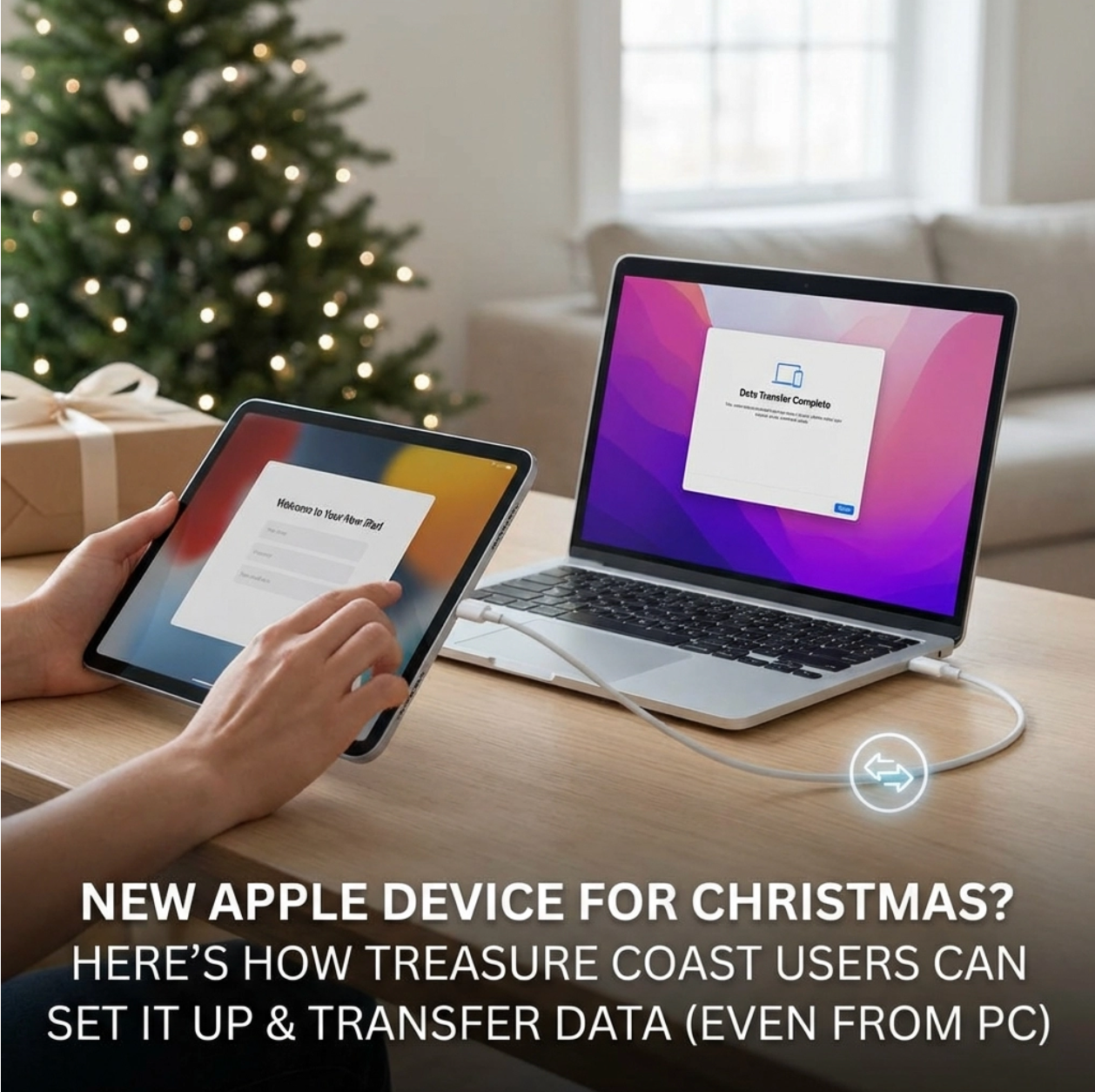
Christmas morning excitement just hit different this year, didn't it? That sleek Apple box under the tree had you practically bouncing off the walls. But now that the wrapping paper's cleared and reality sets in, you're staring at your shiny new iPhone, iPad, or Mac wondering: "Okay, now what?" If you're here on the Treasure Coast dealing with setup anxiety, take a deep breath. Whether you're upgrading from an ancient Android, switching from PC to Mac, or just need to move your digital life from one Apple device to another, we've got you covered. And hey, if tech isn't your thing, that's exactly why iService FL exists – but more on that later. Setting Up Your New iPhone: It's Easier Than You Think Your new iPhone is practically designed to set itself up these days. When you power it on for the first time, you'll see the "Hello" screen in multiple languages – that's your cue that you're in good hands. Quick Start is Your Best Friend Here's the magic trick Apple doesn't advertise enough: if you have another iPhone or iPad lying around, bring it close to your new device. Like, really close – within a few inches. Your old device will detect the new one and offer to help with setup. It's called Quick Start, and it's basically like having a tech-savvy friend do all the heavy lifting. This feature automatically transfers your Apple ID, Wi-Fi passwords, settings, and even your payment information. The whole process takes about 10-15 minutes, and you'll feel like you just performed actual wizardry. Starting Fresh? No Problem If you're coming from Android or this is your first iPhone, you'll manually enter your Apple ID (or create one) and connect to Wi-Fi. Pro tip from our Treasure Coast experience: your home Wi-Fi password is usually printed on your router's label. Save yourself the frustration and grab it before you start. The First Day Essentials Once you're past the initial setup, resist the urge to download every app immediately. Start with the basics: Messages, Phone, Mail, and maybe a few favorites. Your iPhone will perform better if you let it finish all the behind-the-scenes syncing first. iPad Setup: Your Digital Canvas Awaits iPad setup follows the same Quick Start process, but there are a few Treasure Coast-specific considerations. If you're planning to use your iPad for work (maybe you're running a business here in Stuart or Fort Pierce), think about your setup differently than if it's purely for entertainment. Choosing the Right Apple ID This might sound obvious, but use the same Apple ID across all your devices. We've seen too many local customers accidentally create multiple Apple IDs and then wonder why their photos aren't syncing. Keep it simple – one ID, all devices. Setting Up for Success During setup, you'll be asked about Apple Intelligence features (if you have a newer iPad). Say yes to these – they'll help with everything from text suggestions to photo organization. Just know they require an internet connection to work their magic. Mac Setup: The Big Kahuna Setting up a new Mac in 2026 is where things get interesting, especially if you're making the switch from Windows. The good news? Apple has made this process incredibly streamlined. "Set Up with iPhone" is a Game-Changer If you have an iPhone with iOS 25 or later, select "Set up with iPhone or iPad" during your Mac's Setup Assistant. Hold your unlocked iPhone near your Mac, and you'll see a swirling particle pattern appear on the Mac screen. Point your iPhone camera at this pattern, and watch your Wi-Fi settings, Apple ID, and preferences transfer automatically. It's honestly a little unsettling how well this works – in a good way. The Essential First Steps After your basic setup is complete, immediately update to the latest version of macOS. We're talking System Settings → General → Software Update. Don't skip this step – those early bug fixes are crucial. Next, enable FileVault encryption. This protects your data if your Mac is ever stolen or lost. It's under System Settings → Privacy & Security → FileVault. Yes, it takes a few hours to complete, but run it overnight and thank yourself later. Data Transfer from Old Apple Devices: Seamless Magic This is where Apple really shines. Moving from an old iPhone to a new one? From an aging MacBook to a shiny new MacBook Air? The process is designed to be almost foolproof. iPhone to iPhone: Quick Start Plus Beyond the initial Quick Start setup, your new iPhone will offer to restore from an iCloud backup or transfer directly from your old iPhone. Direct transfer is faster if both phones are connected to the same Wi-Fi network and plugged into power. Mac to Mac: Migration Assistant Magic For Mac-to-Mac transfers, Migration Assistant is your go-to tool. You can find it in Applications → Utilities. Connect both Macs to the same network (or use a Thunderbolt cable for speed), and Migration Assistant will walk you through transferring everything – applications, files, user accounts, the works. The process can take several hours depending on how much data you have, so plan accordingly. Maybe start it before bed or while you're at work. The PC to Mac Journey: We've Got Your Back Here's where things get a bit more complex, and honestly, where a lot of Treasure Coast residents decide to call in the professionals. But if you're feeling adventurous, here's what you need to know. What Transfers (and What Doesn't) Migration Assistant on Mac can connect to your Windows PC and transfer documents, photos, music, and email. What it can't transfer are your Windows applications – those you'll need to replace with Mac equivalents or find new solutions. Your Office documents will transfer fine, but you'll need to install Microsoft Office for Mac or use Apple's built-in alternatives like Pages, Numbers, and Keynote. The Reality Check PC to Mac migration isn't as seamless as Apple-to-Apple transfers. Expect to spend some time reconfiguring email accounts, finding new software, and getting used to macOS. It's not difficult, but it does require patience. When to Call in the Professionals Look, we get it. Sometimes you want your new device working perfectly without the learning curve. Here on the Treasure Coast, we see customers every day who just want their technology to work so they can get back to enjoying life. Signs You Should Get Help: You have years of photos and documents you absolutely cannot lose Your business depends on specific software configurations You're dealing with multiple email accounts and complex setups The whole process just feels overwhelming You'd rather spend your weekend at the beach than troubleshooting iService FL: Your Local Apple Experts This is where iService FL comes in. We've been helping Treasure Coast residents with Apple device setup and data transfers for years. Our team knows the local quirks – like which internet providers work best with iCloud sync and how to optimize your setup for our sometimes spotty cellular coverage. We offer comprehensive setup services that include: Complete device configuration Data transfer from any source (Apple, PC, or even ancient devices) Email and app setup iCloud optimization Personal training sessions so you actually know how to use your new device The Peace of Mind Factor Sure, you could spend your entire weekend wrestling with data transfer and setup. Or you could schedule an appointment and have everything handled professionally while you enjoy what the Treasure Coast has to offer. Making the Most of Your New Apple Experience Here's the thing about Apple devices – they're designed to work together beautifully, but only if they're set up correctly from the start. A proper setup means your photos sync seamlessly, your messages appear on all devices, and your passwords are available everywhere you need them. Start Simple, Build Gradually Don't try to configure everything on day one. Get the basics working, then gradually add complexity. Enable two-factor authentication for security, explore Apple Intelligence features, and take advantage of apps like Shortcuts to automate daily tasks. Stay Updated Apple releases regular updates that improve performance and add features. Enable automatic updates in Settings, and your devices will stay current without you having to think about it. Welcome to the Apple Ecosystem Whether this is your first Apple device or you're a longtime user upgrading to something newer and shinier, remember that every expert started as a beginner. The Treasure Coast Apple community is welcoming, and resources like our team at iService FL are always here to help. Your new Apple device isn't just a gadget – it's a gateway to staying connected with family, being more productive at work, and having a little more fun in your daily life. Take your time with setup, don't be afraid to ask for help when you need it, and enjoy the journey of discovering what your new device can do. The holidays are over, but the excitement of your new Apple device is just beginning. Welcome to the family – you're going to love it here.

Living in Stuart, Port St. Lucie, or Jensen Beach means you're probably used to staying ahead of hurricane season. But there's another storm brewing that Mac owners across the Treasure Coast need to prepare for – and it's coming from cybercriminals who are getting smarter every day. As we head into 2026, the cybersecurity landscape is changing faster than Florida weather. With no Apple Store in Stuart FL, many local Mac users are left wondering: what threats should I be worried about, and how do I protect myself? The answer isn't as complicated as you might think, but it does require some preparation. Let's break down what's coming and how you can stay protected. The Big Question: What Makes 2026 Different? Here's what's keeping cybersecurity experts up at night: artificial intelligence is now being used by the bad guys. This isn't your typical "click here to win a million dollars" email scam anymore. We're talking about sophisticated attacks that can fool even tech-savvy people. The threats targeting Mac users in 2026 fall into three major categories that every Treasure Coast resident should understand. AI-Powered Attacks: The New Reality Deepfake Calls and Videos Imagine getting a FaceTime call from your boss asking you to transfer money or share sensitive information. Except it's not really your boss – it's an AI-generated deepfake that looks and sounds exactly like them. This technology is already here, and by 2026, it'll be so good that even experts will struggle to tell the difference. For Mac users in Stuart and Port St. Lucie, this means being extra cautious about any unexpected requests, even when they seem to come from people you trust. Super-Smart Phishing Emails Remember those obvious scam emails with terrible grammar? Those days are over. AI can now craft personalized phishing emails that reference your actual recent purchases, know your work schedule, and even mimic your colleague's writing style. These emails will look like they're coming from legitimate companies – including Apple. Automated Reconnaissance Cybercriminals are using AI to automatically gather information about you from social media, public records, and data breaches. They're building detailed profiles to make their attacks more convincing. That vacation photo you posted on Facebook? They'll use it to craft a believable story about why you "need" to click on their malicious link. Ransomware Gets Personal While ransomware traditionally targeted big businesses, cybercriminals are increasingly going after individuals – especially those with valuable data like photographers, business owners, and professionals. Here's how it works: malicious software encrypts all your files, photos, and documents, then demands payment to unlock them. Your family photos, business records, tax documents – everything becomes inaccessible until you pay up. For Mac users, this is particularly concerning because many people believe Macs are immune to malware. That's not true anymore. Modern ransomware specifically targets macOS, and recovery without professional help is nearly impossible. Social Engineering 2.0: When Technology Meets Psychology The most dangerous attacks in 2026 won't rely on technical vulnerabilities – they'll exploit human psychology, enhanced by AI. The "Helpful" Tech Support Call You'll receive a call from someone claiming to be from Apple support, complete with your actual device information, recent app downloads, and even your AppleCare status. They'll offer to "fix" a security issue they detected on your Mac. The catch? Apple doesn't make unsolicited support calls. The Emergency Friend Request A "friend" will contact you through social media, claiming their phone was stolen and they need help. The AI-generated profile will use photos and information scraped from your actual friend's accounts, making it nearly impossible to detect the fraud until it's too late. Why Treasure Coast Mac Users Are Particularly Vulnerable Living in Florida's Treasure Coast creates unique vulnerabilities that cybercriminals are starting to exploit: Hurricane Season Scams: Criminals use weather events to create urgency. Fake emergency alerts, insurance scams, and "disaster relief" phishing emails specifically target Florida residents. Tourism-Related Attacks: Our area's tourism industry means cybercriminals often pose as vacation rental owners, restaurant staff, or local service providers to gain trust. Remote Work Targets: Many Treasure Coast residents work remotely for companies based elsewhere, making them attractive targets for business email compromise attacks. Your 2026 Mac Security Game Plan Don't be alarmed – you can protect yourself. Here's your practical defense strategy: Immediate Actions (Do These Today) Enable Two-Factor Authentication on your Apple ID and all important accounts. This single step blocks most automated attacks. Update Everything: Set your Mac to automatically install security updates. Cybercriminals often exploit known vulnerabilities that Apple has already fixed. Backup Your Data: Use Time Machine for local backups and iCloud or another cloud service for offsite storage. If ransomware hits, you'll be able to restore your files without paying. Weekly Security Habits Check your Apple ID account for unknown devices or suspicious activity Review your credit card and bank statements for unauthorized charges Update passwords on accounts you use regularly Monthly Deep Cleaning Remove apps you don't use Clear out old downloads and email attachments Review your privacy settings on social media accounts When to Call the Professionals Sometimes DIY security isn't enough. Here are the warning signs that you need professional computer repair in Stuart FL: Your Mac is running significantly slower than usual You're seeing pop-ups or advertisements when browsing Your friends report receiving strange messages from your accounts You notice programs you didn't install Your Mac's fan is constantly running hot How iService FL Protects Treasure Coast Mac Users As former Apple technicians serving Stuart, Port St. Lucie, and Jensen Beach, we understand that security isn't just about installing antivirus software. It's about creating multiple layers of protection that work together. Our virus and malware removal service goes beyond basic scanning. We identify how threats got onto your system and close those security gaps to prevent future infections. When you bring your Mac to our Stuart location, here's what we do: Comprehensive Security Assessment: We check for existing malware, review your security settings, and identify potential vulnerabilities. Custom Protection Strategy: Every Mac user has different needs. We configure your security settings based on how you actually use your computer. Education and Training: We show you how to recognize threats and respond appropriately. Knowledge is your best defense against social engineering. Ongoing Support: Security isn't a one-time fix. We provide ongoing monitoring and support to keep you protected. The Bottom Line for Treasure Coast Mac Owners The cybersecurity threats of 2026 are more sophisticated than ever, but they're not unstoppable. By staying informed, implementing basic security practices, and knowing when to seek professional help, you can keep your Mac and your data safe. Remember: cybercriminals rely on people feeling overwhelmed and doing nothing. Don't let that be you. Ready to secure your Mac against 2026's threats? Contact iService FL today at our Stuart location. We'll assess your current security posture and create a customized protection plan that fits your needs and budget. No Apple Store in Stuart FL? No problem. Our team of former Apple technicians provides the same expert service with the personal touch you won't find at corporate locations. Schedule your security consultation today – because when it comes to cybersecurity, it's better to be prepared than sorry. Your Mac, your data, and your peace of mind are worth protecting. Let's make sure you stay ahead of whatever 2026 throws your way.