
macOS 27 Golden Gate & iOS 27: Apple's Big 2026 Software Updates, Explained
This is a subtitle for your new post
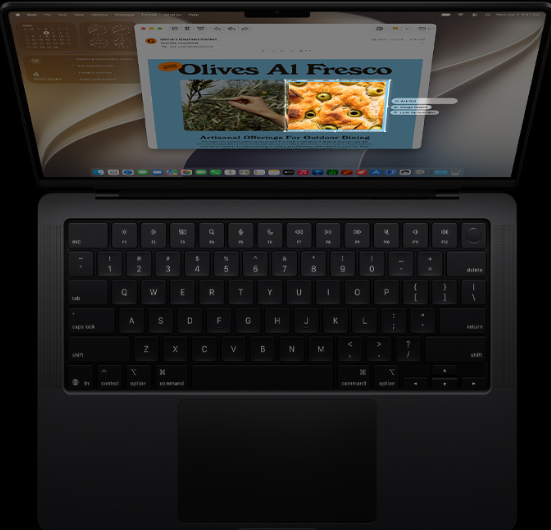
Apple's next major software updates arrive on September 14, 2026. macOS 27 Golden Gate brings new Siri AI capabilities, visual refinements, smarter tools, and performance improvements to supported Mac computers. iOS 27 introduces many of the same intelligence-focused features for compatible iPhone models.
For Apple users in Stuart, Port St. Lucie, Palm Beach Gardens, and throughout the Treasure Coast, the most important question isn't simply "What's new?"
It's this: Will your Apple device support the update, and will it receive every feature Apple is promoting?
Here's what you need to know before upgrading.
macOS 27 Golden Gate arrives September 14
According to Apple's official macOS 27 overview, Golden Gate is scheduled to become available on September 14, 2026.
This update focuses on three major areas:
- A more capable Siri AI experience
- New Apple Intelligence and Visual Intelligence tools
- Design, performance, privacy, and usability improvements
The update also establishes a major hardware dividing line: macOS 27 supports Apple silicon Macs, but Intel-based Macs are not supported.
That means owners of M1, M2, M3, M4, and newer Macs can check compatibility. Owners of Intel Macs will need to remain on an earlier macOS version or consider a hardware upgrade.
What's new in macOS 27 Golden Gate?
Is Siri finally becoming more useful?
Siri AI is the headline feature in macOS 27. Apple describes it as a more conversational assistant that can understand natural requests, support follow-up questions, and help you complete tasks across your Mac.
You'll be able to:
- Ask questions using natural language
- Continue a conversation instead of starting over
- Search for information across apps and files
- Find emails, notes, and photos using personal context
- Ask Siri to take actions in supported apps
- Use Siri from Spotlight search
- Pick up a Siri conversation started on another Apple device
A new dedicated Siri app also keeps conversations organized in one place. This may be particularly useful for people who use a Mac for business, school, research, or managing a busy household.
Visual Intelligence works with content on your screen
macOS 27 expands Visual Intelligence to the Mac. You can use a screenshot or onscreen content to learn more, search for information, or take an action.
For example, you may be able to:
- Identify an object in an image
- Look up information from a PDF
- Ask questions about something displayed on your screen
- Search for a product or location
- Get information about food, plants, or other visual content
Apple Intelligence features can be helpful, but they also depend on the Mac's processor, memory, language settings, and region. A compatible Mac does not necessarily receive every feature at the same level.
Shortcuts become easier to create
macOS 27 also makes automation more accessible. Instead of building every Shortcut action manually, you can describe what you want the Shortcut to do in everyday language.
For example, you might ask your Mac to create a Shortcut that:
- Opens the apps you use each morning
- Starts a timer and plays a specific playlist
- Prepares a folder for a weekly business task
- Creates a reminder based on an email
- Organizes files for a recurring project
This could save time for small business owners and professionals who repeat the same tasks every day.
Safari, Passwords, Mail, and Photos receive updates
Apple is also improving several everyday Mac apps:
- Safari can automatically group related tabs by topic.
- Safari Notify Me can alert you when a webpage changes, such as when an item is restocked or a price is updated.
- Passwords can identify weak or compromised passwords and help update them.
- Mail improves search ranking so relevant messages are easier to find.
- Photos gains new intelligent editing tools, including improved Clean Up, Extend, and Spatial Reframing features in future software updates.
- Podcasts adds a more integrated video experience.
- Safari, Mail, News, Podcasts, and Calendar support swipe-down refresh actions.
Apple also states that macOS 27 includes performance improvements involving memory usage, search, display rendering, networking, and system responsiveness.
macOS 27 compatibility: Apple silicon versus Intel
This is the most important compatibility change for Mac owners.
Macs that support macOS 27
Apple's published compatibility list includes:
- MacBook Neo from 2026
- MacBook Air with Apple silicon from 2020 and later
- MacBook Pro with Apple silicon from 2020 and later
- iMac with Apple silicon from 2021 and later
- Mac mini with Apple silicon from 2020 and later
- Mac Studio from 2022 and later
- Mac Pro with Apple silicon from 2023
Intel Macs are not supported
If your Mac has an Intel processor, macOS 27 Golden Gate is not supported. This doesn't mean your computer stops working on September 14. It means the Mac won't be able to install this specific operating system update.
You may still be able to:
- Continue using your current macOS version
- Install available security updates
- Upgrade to a supported Apple silicon Mac
- Move your files and settings to a newer system
- Review software compatibility before making a decision
Not sure which processor your Mac uses? Select Apple menu > About This Mac. Look for "Chip" or "Processor." If you'd rather have someone review it with you, iService FL provides Apple setup and private lessons.
iOS 27: what iPhone users should know
iOS 27 follows many of the same themes as macOS 27, including Apple Intelligence, improved Siri conversations, Visual Intelligence, and a collection of smaller refinements across the operating system.
Reported compatibility guidance indicates that iOS 27 supports devices with an A13 Bionic chip or newer, which generally includes the iPhone 11 generation and newer models, along with compatible SE models.
However, compatibility and feature availability are different things.
Older supported devices may install iOS 27 but may not receive every Apple Intelligence feature. Advanced capabilities typically require newer processors, including A17 Pro or later hardware for some intelligence features. Certain Siri voice and advanced AI features may require even newer devices.
Before updating, check:
- Your device model
- Your available storage
- Your current backup status
- Whether your essential apps support iOS 27
- Whether the features you want require newer hardware
The same preparation applies to your Mac. A major operating system update can affect older software, printers, network drives, security tools, and business applications.
Should you install the update immediately?
Is release day the right time to upgrade?
Not always.
Apple's September updates are widely tested before release, but no major operating system update is perfect on every computer. Businesses and people who depend on their Mac for daily work may prefer to wait briefly while developers update their applications and early issues are identified.
Before upgrading, we recommend:
- Create a current Time Machine backup
- Confirm important files are available
- Check free storage space
- Update critical applications
- Make sure your Wi-Fi or wired network is stable
- Record passwords and software licenses
- Disconnect unnecessary external devices
- Confirm that business software is compatible
Do not rely on iCloud alone as your only backup. iCloud synchronizes selected data, but it isn't always a complete replacement for a local backup.
If the update fails, your Mac becomes unusually slow, or an application stops working, don't be alarmed. We're here to help diagnose the issue and get your system operating properly.
How iService FL helps with Apple software updates
iService FL specializes in Apple computer service, software management, setup, and repair. Our team includes highly trained technicians with former Apple experience, and we've served Apple users for 15 years.
We can help with:
- macOS 27 compatibility checks
- Apple silicon and Intel Mac comparisons
- Data backups before upgrading
- macOS installation and setup
- Apple Intelligence and Siri configuration
- Software updates and application troubleshooting
- Network and printer connection issues
- Virus and malware removal
- Performance problems after an update
- File migration to a new Mac
- Home and business network support
If your Mac is running slowly, displaying error messages, losing its network connection, or behaving differently after an update, our Apple computer repair team can help. We also provide home and business network services and virus and malware removal.
Our service area includes Stuart, Port Salerno, Port St. Lucie, Palm Beach Gardens, and surrounding Treasure Coast communities. Convenient FREE parking is available when you visit our service center.
Get ready for September 14
macOS 27 Golden Gate and iOS 27 bring meaningful changes, but the right upgrade plan depends on your device, software, backup routine, and daily needs.
If you use an Apple silicon Mac, macOS 27 may provide new AI tools, improved performance, and a more capable overall experience. If you use an Intel Mac, this is a good time to review your options before support becomes a bigger concern.
Need help preparing for the update or troubleshooting your Mac? Call iService FL at 772-343-7482 or schedule an appointment online. We're ready to help Apple users throughout Stuart, Port St. Lucie, Palm Beach Gardens, and the Treasure Coast.